Printer checklist
Choose a printer for your application
The range of label printers can make selecting suitable hardware difficult. Cost and application requirements should be considered before purchase.
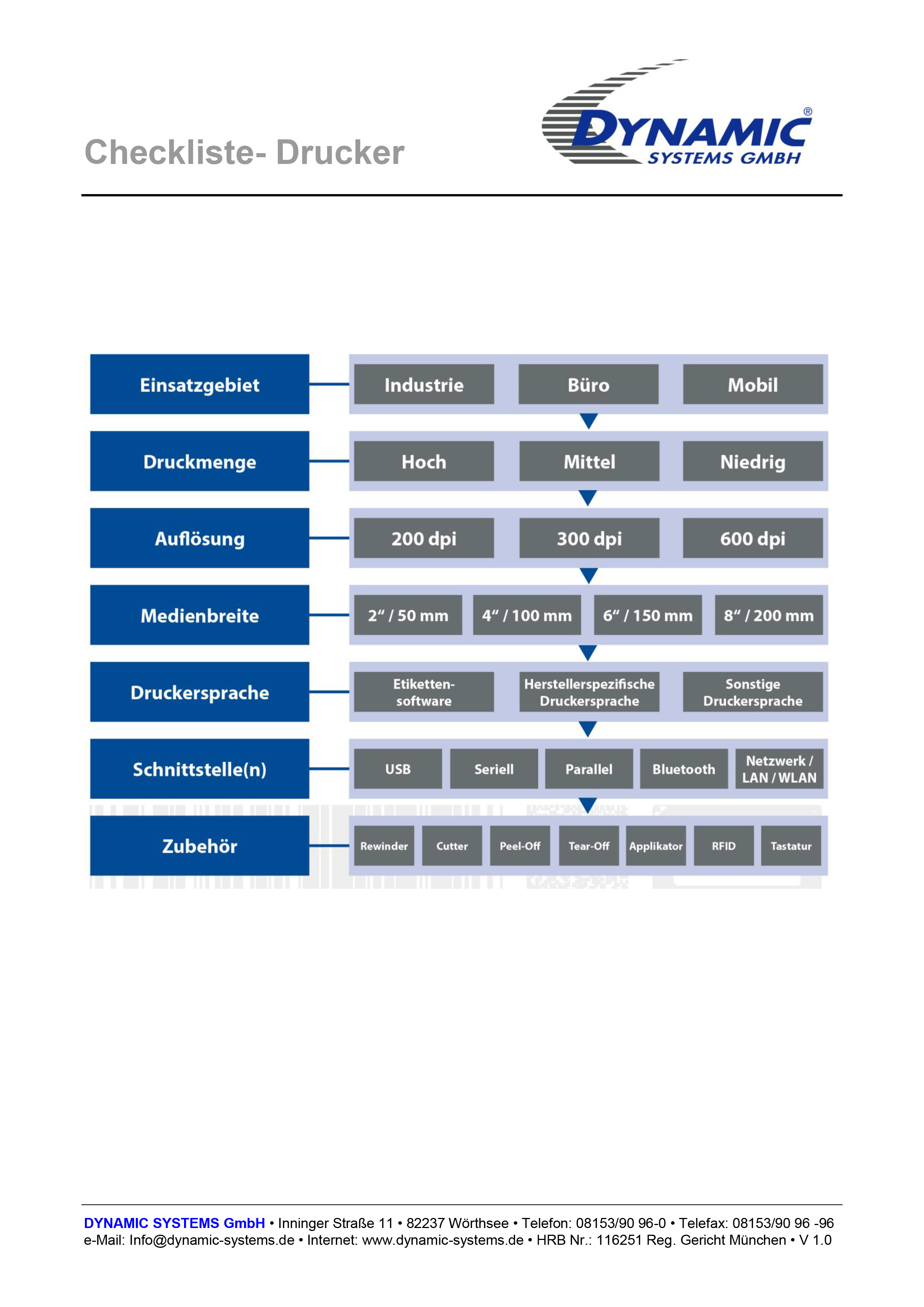
Consider these factors when selecting a printer:
- Operating environment
- Print volume
- Resolution
- Media format
- Printer language
- Interfaces
- Accessory options
Define the requirements for these factors before selecting the printer. Later changes may require additional equipment, time or cost and may not be possible for every model.
Operating environment
Three common settings are:
- Production
- Office
- Mobile use
For production, assess durability and resistance to dust, humidity, temperature and other environmental conditions. Housing material can influence cost and protection. Suitable metal housings may support durability and electromagnetic shielding; these properties depend on the actual design. Plastic housings may offer a lower-cost option.
For office use, consider available space and printing noise, particularly in shared offices. If portability and low weight matter, a suitable battery-powered mobile printer may be appropriate.
In every environment, straightforward controls, clear menus and practical replacement or replenishment of consumables help users operate the printer. Training requirements depend on the equipment and workflow.
Print volume
Requirements range from occasional individual print jobs to continuous operation. Check the printer rating, media and workload rather than assuming all devices support continuous 24-hour use.
For frequently used equipment, assess construction quality, bearings, rollers and other components against the expected duty cycle.
A stable housing, suitable mechanics, resistance to environmental interference and appropriate wear parts are further considerations.
Resolution
Common resolution categories include approximately 200 dpi, 300 dpi and 600 dpi.
Resolution affects the detail that can be printed. Barcode readability also depends on code size, media, ribbon, contrast, printer settings and the reader; test the resulting code in the intended workflow.
Media format
Specify the label dimensions and total liner width, including any labels arranged side by side. Print width is constrained by the printer hardware and generally cannot be enlarged without changing the print engine or printer.
Printer languages
For integration into an existing system, check support for its printer language and commands. Stand-alone operation and professional label software also require a compatible printer language, driver or integration method; software does not remove this requirement.
Interfaces
Possible interfaces include USB, RS232, bidirectional/parallel, RS422, RS485, Bluetooth and Ethernet or Wi-Fi. Check the actual printer configuration and the connections supported by the host system.
Accessory options
Common media-handling options include the following, subject to model compatibility and installation requirements:
Rewinder: Rewinds printed labels onto a core, internally or externally depending on the printer and accessory, so they can be removed as a roll.
Cutter: Separates suitable labels or media after printing.
Peel-off: Separates the label from the liner for manual application or use with a compatible applicator.
Tear-off: Allows the user to tear off and remove the printed label or media at the tear edge.
Some printers support compatible applicators, RFID options or keyboards. Availability, retrofit capability and additional requirements must be checked for the specific printer; these options are not universal.
Our technical sales team can help assess your printer requirements.
From technical information to product selection
Related products
Compare the specific configuration. We can help you check accessory compatibility and suitability for your application.
Discuss your application with usPersonal advice
Which solution fits your application?
We help you select materials and hardware and implement your solution.

